Settings Saver
Keep one copy of your Minecraft settings and have every new instance start with it, on any launcher, from 1.7.10 to 26.3.
On this page
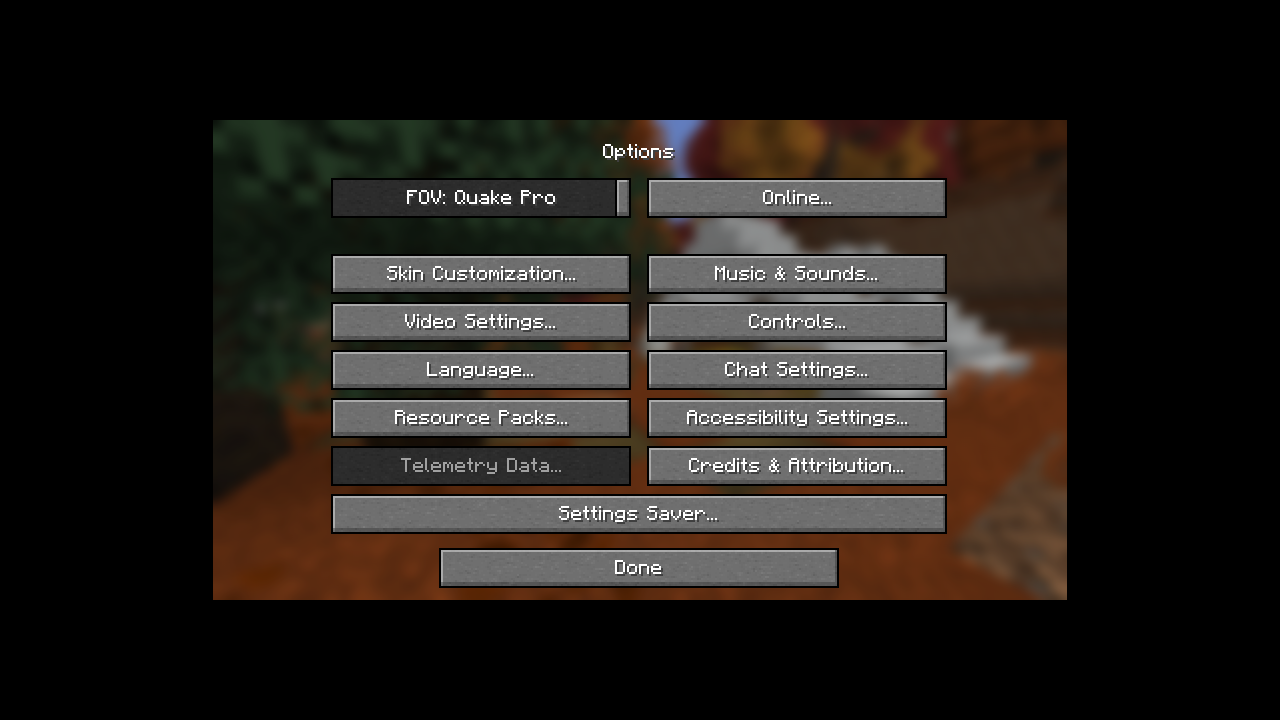
Settings Saver keeps one copy of your Minecraft settings (video, audio, controls, keybinds, accessibility and more) outside any single instance. A new instance in Prism Launcher, MultiMC, ATLauncher, CurseForge or the vanilla launcher then starts with your settings already applied.
It is a client-only mod for Minecraft 1.7.10 to 26.3 on Fabric, Quilt, Legacy Fabric, Forge and NeoForge. On a dedicated server it loads and does nothing.
What it does#
- Fills in new instances. An instance that has no
options.txtyet gets your saved settings on its first launch, converted to that Minecraft version's own format. - Save and Load buttons. Save this instance's settings to a profile, or load a profile's settings into this instance (a backup is made first).
- Profiles. Keep several sets of settings, such as
defaultandpvp, and pick one per instance. - Opt-in sync. With sync on, settings you change in-game are saved to the profile as you play.
- Works across versions. Settings saved in 26.3 load correctly in 1.7.10 and the other way round: renamed options, changed value ranges and the old keybind codes are all converted.
- Excluded settings. Settings such as your resource packs or last server are never copied between instances. You choose the list.
- Safe with several games open. Instances that run at the same time share the store without overwriting each other's changes.
Start here#
- Install Settings Saver: one jar for your loader.
- Save your settings once. Every new instance starts with them.
- Optionally, turn on sync or set up profiles.
Reference#
- Sync modes: what happens at launch and while you play, per mode.
- Converting between versions: how one copy fits every Minecraft version.
- Running several instances at once
- Config files: per instance, global, per profile
- Where your settings are stored and restoring a backup
- FAQ and troubleshooting
Contents
- FAQ Answers to common Settings Saver questions about servers, launchers, modpacks, mod settings, existing instances and shared keybinds.
- Troubleshooting Fixes for Settings Saver problems such as a missing menu button, settings that don't apply, a profile that switched back to default, and unknown versions.
- Guides
- Installation Pick the right Settings Saver jar for your loader and Minecraft version, install it, and check that the mod is running.
- Saving and loading settings Use the Settings Saver menu to save this instance's settings to a profile, load a profile into an instance, and read the status messages.
- Using profiles Keep several sets of settings in Settings Saver profiles and choose one per instance. Covers creating, switching, copying, renaming and deleting.
- Excluded settings Choose which Minecraft settings Settings Saver never saves or loads, such as resource packs or the last server, with exact keys or prefix patterns.
- Where your settings are stored Find the Settings Saver store on Windows, macOS and Linux, see what each file in it holds, and move it with a JVM argument or environment variable.
- Restoring a backup Settings Saver backs up an instance's options.txt before Load replaces it. Learn where the backups are, how many are kept and how to put one back.
- How it works
- Sync modes What Settings Saver does at launch and while you play in each sync mode (Off, Auto, Auto + always apply), and what the one-time apply is.
- Converting between versions How Settings Saver keeps one copy of your settings that works on every Minecraft version from 1.7.10 to 26.3, and which settings change along the way.
- Running several instances at once How Settings Saver keeps its store consistent when several Minecraft instances run at the same time, and whose change wins when two of them sync.
- Config files
- Instance config Every option in an instance's config/settings-saver.properties: which profile it uses, its sync mode and the one-time apply flag.
- Global config The options in the store's settings-saver.properties, shared by every instance: how many backups to keep and which profile new instances use.
- Profile config The options in a profile's profile.properties: its excluded settings per settings file, its display name and when it was created.